How to Use Pollo AI Nano Banana 3 for Educational Graphics Assets
 Phrendylor Xyventhari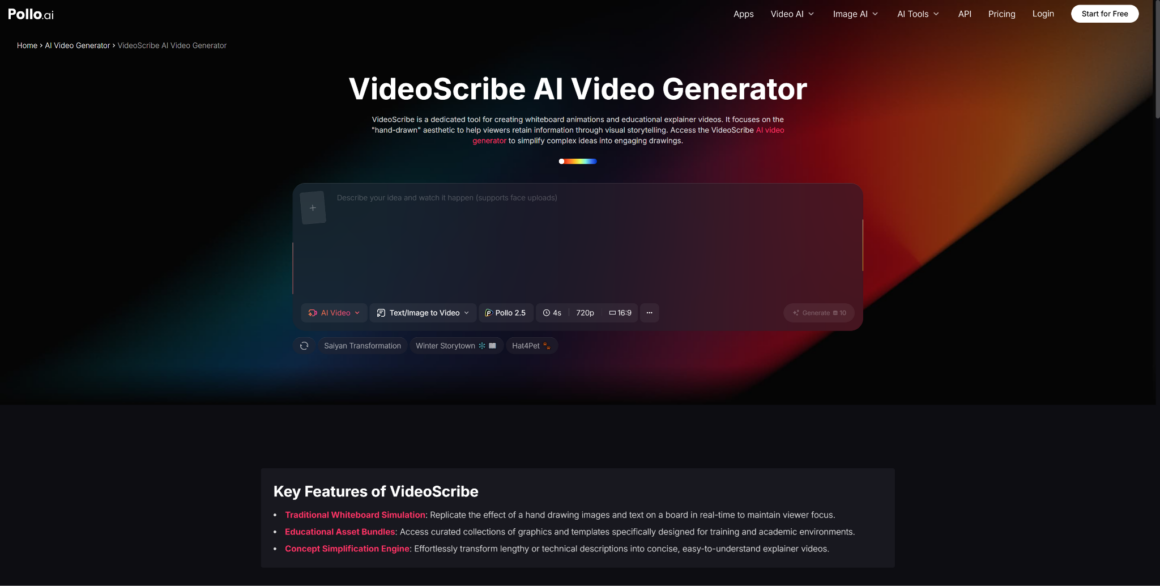
There’s a version of AI image generation that most people imagine—dramatic renders, photorealistic scenes, art for its own sake. And then there’s the version that actually solves problems for educators, instructional designers, and knowledge-focused content teams: structured, readable, visually clear graphics that help people understand something specific.
The gap between those two versions is exactly where Pollo AI Nano Banana 3 earns its place in an educational content workflow. Generating a visually striking image is one thing. Generating a diagram with correct labels, a step-by-step visual with legible text, or a series of teaching graphics that maintain consistent style across ten slides—that’s the harder and more useful problem, and it’s what this article focuses on.
If your team creates training materials, online course graphics, how-to guides, or any content where clarity matters more than spectacle, here’s how to put the model to work effectively.
Why Nano Banana 3 Fits Educational and Explainer Content
The most important capability for educational use isn’t resolution or realism—it’s text readability inside the image. Google’s official materials for Nano Banana Pro describe the model as capable of rendering “swaths of legible text” within generated images, a feature CNET called an industry first among AI image generators.
For anyone making teaching visuals, this changes the workflow fundamentally. You no longer need to generate a background image and then layer labels on top in a separate tool. You can prompt for the whole composition—image, labels, hierarchy, and text—and get something closer to a finished teaching graphic in the first pass.
The model also supports style consistency across a series, which matters enormously for educational content. A course that has ten modules should feel visually coherent across all ten. The ability to establish a visual language in your prompt and carry it across multiple generations is what turns individual images into a teachable system. Pollo AI Nano Banana 3 gives non-technical users access to these capabilities without requiring API configuration or developer tooling—making it a practical starting point for instructional designers, course creators, and content leads who need results fast.
How to Brief the Model for Diagrams, Step Visuals, and Teaching Graphics
Knowing the model can do something is half the challenge. Knowing how to prompt it consistently for educational output is the other half.
Ask for Layout, Labels, and Hierarchy Explicitly
The most common mistake in prompting for educational graphics is treating the visual as decorative. The prompt should describe structure, not just appearance. Instead of “a diagram of the water cycle,” try: “a labeled educational diagram of the water cycle with four clearly marked stages, clean sans-serif labels at each stage, light blue background, and a simple top-to-bottom flow layout.”
The more you specify what the viewer needs to learn from the image, the more the output will reflect that intent. This applies to step-by-step process graphics, comparison charts, anatomy diagrams, and any other format where the goal is comprehension.
Use Style Consistency Across a Series
If you’re producing a set of teaching assets—say, a module with eight supporting graphics—define your style parameters in the first prompt and reuse them across the series. Specify the color palette, font style (even if approximate), background treatment, and level of visual complexity. Consistency signals professionalism and reduces cognitive load for learners.
Review Every Factual Claim Before Publishing
This is not optional. Google’s own model notes, and independent reviewers like CNET, have flagged that AI-generated content—including image-embedded text—can introduce inaccuracies. For educational materials especially, any factual claim, label, or statistic that appears inside an AI-generated image should be verified before the asset is published or distributed.
How Pollo AI Nano Banana 3 Improves the Workflow
Most instructional design teams don’t have the bandwidth to run developer-level tools during the concept and iteration phase. The value of a cleaner workflow isn’t abstract—it directly affects how many directions a team can test, how quickly feedback loops close, and whether non-designers can participate in the content creation process.
Easier Iteration for Non-Designers
Pollo AI’s interface is built for users who need the capability of a high-end model without the technical overhead. An instructional designer who isn’t comfortable with API calls or command-line tools can still test multiple visual directions, refine a concept through iterations, and hand off a near-final asset to a designer for minor adjustments. That’s a meaningful productivity gain for teams producing content at volume.
Better Handoff Between Ideation and Production
One of the most expensive points in a content production workflow is the handoff from “what we want” to “what the designer creates.” When the person with the idea can generate a reference-quality visual directly—even if it needs some refinement—the briefing process becomes faster and more precise. Pollo AI makes that handoff cleaner by giving ideation-stage users access to production-capable outputs.
When a Whiteboard or Sequential Explainer Style Helps More
Not every educational concept is best served by a static image, even a high-quality one. Some ideas need to unfold over time. Some concepts are clearer when a narrator walks through them step by step, or when elements appear progressively rather than all at once.
Where VideoScribe-Style Storytelling Fits
Sequential, whiteboard-style explainer content—the kind associated with tools like Pollo AI Videoscribe alternative—excels at explaining processes, arguments, or narratives that build on each other. When the learning objective is to show how something happens rather than what it looks like at a given moment, the motion-through-time format often outperforms a single comprehensive graphic.
The practical approach is to use Nano Banana 3 for static explanatory graphics—diagrams, comparisons, reference images, module headers—and then consider a sequential animated format for concepts that require narrative pacing. The two formats are complementary, not competitive.
Combining Static Explanatory Graphics With Motion Narration
A common workflow for course creators: generate the key concept graphics using Nano Banana 3 in Pollo AI, then import those assets into an animation or narration tool for the sequences that need motion and voiceover. This avoids over-animating everything (which adds production time without always improving learning outcomes) and keeps the most visually dense information in a format learners can pause, zoom, and reference.
Common Pitfalls in AI-Made Teaching Visuals
Even with a capable model and a clean workflow, educational AI graphics fail in predictable ways.
Information overload. A single graphic that tries to explain too much becomes a visual noise problem, not a learning aid. Prioritize one or two key ideas per image. If the diagram needs a legend that’s longer than five items, it probably needs to be two diagrams.
Unclear hierarchy. In teaching visuals, what’s most important should be visually most prominent. AI-generated images don’t automatically observe that rule. Review every output with the question: “What will a learner look at first—and is that actually the most important thing?”
Unverified factual content. As noted above, any label, date, statistic, or claim embedded in the image needs to be checked against a source. AI models do not fact-check their outputs. That responsibility stays with the human in the workflow.
The good news is that iterating quickly in Pollo AI makes it easier to catch these problems early, before they’re embedded in a finished course or a published guide. The model’s speed and accessibility mean teams can review more options and make better decisions before committing to a final direction.
About The Author