Rocket League on Switch: The Complete 2026 Guide to Performance, Tips, and Cross-Platform Play
 Fyrconthius Lazenquill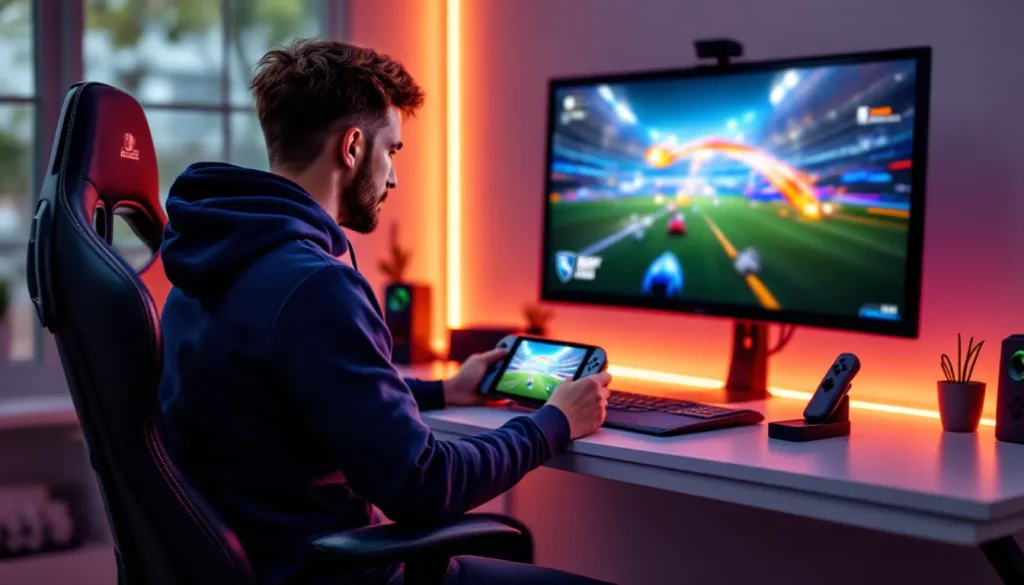
Rocket League has carved out a dedicated player base on the Nintendo Switch since its 2017 port, offering the high-octane car soccer experience in both handheld and docked modes. But playing on Switch comes with trade-offs, lower frame rates, graphical compromises, and competitive concerns that don’t affect PC or console players. Whether you’re grinding ranked matches on your commute or casually scoring goals from the couch, understanding the platform’s strengths and limitations can make or break your experience. This guide breaks down everything Switch players need to know in 2026, from performance realities to controller tweaks, cross-platform progression, and whether you can genuinely compete at higher ranks even though hardware constraints.
Key Takeaways
- Rocket League on Switch offers unmatched portability for competitive gaming on-the-go, but comes with measurable technical trade-offs including 60-70ms input lag and 720p resolution that impact higher-ranked play.
- Controller setup significantly affects performance—the Pro Controller is essential for ranked play, and enabling a wired connection in docked mode can reduce input lag by 5-10ms.
- Switch players should focus on positioning, rotation discipline, and fundamental mechanics rather than frame-perfect advanced techniques, as input lag and frame drops make complex aerials less reliable.
- Cross-platform progression and play mean your rank and cosmetics sync across all platforms, though Switch players face trading restrictions due to Nintendo policy limitations.
- Rocket League on Switch excels for casual and intermediate players (Bronze through Diamond), while competitive climbers above Champion rank will notice hardware disadvantages that require exceptional game sense to overcome.
- Using an Ethernet adapter in docked mode and playing in 2v2 Doubles mode helps Switch players maximize their potential despite the platform’s inherent latency and performance constraints.
What Makes Rocket League Unique on Nintendo Switch?
The Switch version of Rocket League offers something no other platform can: true portability. Players can queue into competitive matches from anywhere with a Wi-Fi connection, practice aerials during lunch breaks, or grind training packs on long trips. That flexibility transforms how many approach the game, turning downtime into skill-building opportunities.
But portability comes with technical sacrifices. The Switch runs Rocket League at lower graphical settings and frame rates compared to PC, PlayStation 5, or Xbox Series X. Visual effects like bloom, lens flares, and advanced lighting are scaled back or absent. Stadium details, crowd animations, and post-processing effects take a hit to maintain stability. These compromises don’t fundamentally change gameplay, but they’re noticeable if you’ve experienced Rocket League on more powerful hardware.
Cross-platform play levels the field somewhat. Switch players compete in the same matchmaking pools as PC and console users, meaning you’re never short on opponents or teammates. Epic Games’ cross-progression system ensures your rank, cosmetics, and Rocket Pass items carry over across platforms. If you own the game on multiple systems, you can seamlessly switch between PC practice sessions and Switch portability without losing progress.
The Switch community skews slightly more casual than PC or PlayStation, though plenty of Diamond and Champion-ranked players have proven the hardware doesn’t automatically cap skill ceilings. The portability factor attracts players who value convenience over cutting-edge performance, creating a unique mix of competitive grinders and laid-back enthusiasts.
Performance and Graphics: What to Expect on Switch
Frame Rate and Resolution Differences
Rocket League on Switch targets 60 FPS in docked mode and 60 FPS in handheld, though the reality is more complicated. The game generally holds 60 FPS during standard gameplay, but frame drops occur during chaotic moments, demolitions, goal explosions, or matches with multiple boost trails active simultaneously. These dips are more pronounced in handheld mode, where thermal throttling can kick in during extended sessions.
Resolution takes the biggest hit. Docked mode runs at 1280×720 (720p), while handheld mode drops to 720p with dynamic resolution scaling that can fall below 576p during intense sequences. For comparison, the PS5 and Xbox Series X versions run at 4K/120 FPS with HDR support. PC players can push even higher refresh rates with proper hardware. The Switch’s limitations are most apparent when viewing distant players or boost pads, details blur more than on other platforms.
Graphical effects are heavily pared back. Shadows are lower resolution, reflections are simplified, and particle effects from boosts and goal explosions lack the density seen on other platforms. Weather effects in stadiums like Farmstead or Wasteland are toned down. Arena lighting is flatter, removing some of the atmospheric depth that makes maps like Champions Field visually striking on PC.
Input latency sits around 60-70 milliseconds on Switch in ideal conditions, roughly 10-15ms higher than PC with a wired controller. That difference matters in high-level play where split-second reactions separate good challenges from whiffs. Most players below Champion rank won’t notice the lag, but it becomes a tangible disadvantage as mechanics tighten up.
Handheld vs. Docked Mode Performance
Handheld mode sacrifices graphical fidelity for battery life and thermal management. The Switch underclocks its GPU and CPU when undocked, resulting in more aggressive dynamic resolution scaling. Frame rate stability suffers slightly, expect more frequent drops below 60 FPS during goal replays or crowded plays. The 6.2-inch screen (7-inch on OLED models) makes distant players harder to track, and fine aerial adjustments feel less precise without a larger visual reference.
Docked mode offers the most stable experience Switch hardware allows. Plugging into a TV or monitor gives you a larger screen for better spatial awareness, though the 720p output looks soft on displays larger than 32 inches. Input lag decreases slightly in docked mode when using a wired controller via USB-A or the Pro Controller’s USB-C port. Most competitive Switch players prefer docked mode for ranked matches, reserving handheld for casual games or training.
Battery life in handheld averages 3-4 hours on the original Switch, 4.5-5 hours on the revised model, and 5-6 hours on the OLED version. Online matches drain the battery faster than offline training due to constant network activity and CPU load from prediction algorithms. Heat buildup on the back of the console is common during extended sessions, especially in humid environments or while charging.
The OLED model’s improved screen makes a noticeable difference in handheld. Better contrast and color saturation help distinguish orange and blue teams in chaotic moments. The larger 7-inch display reduces eye strain during longer sessions, though it doesn’t change the underlying resolution or performance. If you’re serious about handheld Rocket League, the OLED upgrade is worth considering.
Setting Up Rocket League for Optimal Switch Performance
Best Controller Settings and Configuration
The Joy-Cons are Rocket League’s worst input method. Their small analog sticks lack precision for fine aerial adjustments, and stick drift develops quickly under the game’s demanding inputs. The shoulder buttons are mushy compared to Pro Controller triggers, making fast aerials and half-flips feel sluggish. If you’re stuck with Joy-Cons, increase your controller deadzone to 0.15-0.20 to compensate for drift, but understand you’re handicapping yourself.
The Switch Pro Controller is the minimum acceptable standard for serious play. Its larger analog sticks, responsive triggers, and better ergonomics mirror Xbox and PlayStation controllers. Most high-level Switch players bind boost to R1/RB (right bumper) and jump to X/A, keeping both functions under the right thumb and index finger for fast aerials. Air roll left/right should be bound to L1/LB and L2/LT for smooth directional air rolls without interfering with boost.
Controller deadzone settings require fine-tuning. Start at 0.10 for both stick and aerial sensitivity, then adjust based on your controller’s condition. Older controllers with stick wear need higher deadzones (0.12-0.15) to prevent ghost inputs. Dodge deadzone should sit at 0.50-0.60 to avoid accidental flips during recoveries. Aerial sensitivity defaults to 1.40 but can go as high as 1.60 if you prefer faster air roll speeds, just be aware that higher values make micro-adjustments twitchier.
Vibration should be disabled. It drains battery life in handheld mode and introduces minor input lag. Every millisecond counts when you’re already fighting the Switch’s inherent latency. Similarly, disable controller rumble in the Switch’s system settings to ensure no background processes interfere during matches.
For wireless play, keep your Switch within 6-8 feet of the controller to minimize Bluetooth latency. Docked players should use a wired USB connection whenever possible, the Pro Controller supports USB-C, and third-party USB-A to USB-C cables work fine. Wired connections cut input lag by 5-10ms, a meaningful reduction in competitive scenarios.
Camera Settings That Work Best on Smaller Screens
Default camera settings don’t translate well to the Switch’s smaller display, especially in handheld mode. The 6.2-inch screen compresses visual information, making distant players and boost pads harder to spot. Adjusting camera settings compensates for these limitations by pulling important elements closer to the center of your view.
Field of View (FOV) should be maxed at 110. This widens your peripheral vision, letting you track teammates, opponents, and boost pads without constantly swiveling the camera. The fisheye distortion at 110 FOV looks extreme at first but becomes natural after a few hours. Lower FOV settings (90-100) feel claustrophobic on small screens, limiting awareness during rotations.
Distance should sit between 260-280. Going too far back (300+) makes your car tiny on handheld screens, while too close (240 or lower) limits your ability to read opponent positioning. 270 is the sweet spot for most Switch players, balancing car control with field awareness.
Height between 100-110 keeps the camera elevated enough to see over your car during aerials without losing ground perspective. Angle at -3 to -5 tilts the camera downward slightly, improving ball tracking during dribbles and flicks. Stiffness at 0.40-0.50 allows the camera to smoothly follow fast movements without feeling floaty or delayed.
Transition Speed at 1.20-1.30 speeds up the camera’s shift from ball cam to car cam, crucial for recoveries and boost pickups. Swivel Speed can stay at default (3.0-4.0) unless you frequently use free cam for backboard reads. Ball camera toggle distance should remain at default, most players use ball cam 80-90% of the time regardless of platform.
These settings prioritize visibility and awareness over replicating pro player cameras designed for 24-inch+ monitors. Switch players need different configurations to compensate for hardware limitations, and there’s no shame in optimizing for your actual playing conditions.
Cross-Platform Play and Progression on Switch
How to Link Your Epic Games Account
Linking your Epic Games account to your Nintendo Switch profile is mandatory for cross-progression and essential for preserving your inventory if you ever switch platforms. The process takes about five minutes and ensures your rank, items, and Rocket Pass progress sync across PC, PlayStation, Xbox, and Switch.
Start by launching Rocket League on Switch and selecting Options from the main menu. Navigate to the Account tab and select Link Account. The game generates a unique code displayed on-screen. On a phone, tablet, or PC, visit the Epic Games account linking page and enter the code within 10 minutes before it expires. If you don’t already have an Epic Games account, you’ll create one during this process using an email address and password.
Once linked, your primary platform determines which cosmetics and items appear in your shared inventory. If you’ve played Rocket League on multiple platforms before linking, Epic designates the account with the most playtime as your primary. Items from other platforms merge into this primary inventory, but platform-exclusive items (like PS4 Sweet Tooth or Xbox Armadillo) remain locked to their original systems.
Cross-progression updates in real-time. Unlock a new Black Market decal on PC, and it’s immediately available on Switch. Climb from Diamond to Champion on Switch, and your PC account reflects the new rank. Rocket Pass tier progression, challenges, and seasonal rewards all sync automatically. The only exception is Competitive tournament rewards, which are claimed on the platform where you earned them before syncing.
If you’re setting up a new Epic Games account specifically for Switch, use a unique email and strong password. Epic accounts are frequent targets for phishing attempts, and losing access means losing all your items and progress. Enable two-factor authentication through the Epic website for an extra security layer.
Trading and Marketplace Limitations
The Switch version has significant trading restrictions due to Nintendo’s policies. Player-to-player trading is disabled entirely on Switch. You can’t initiate trades, receive trade offers, or participate in the community trading economy that thrives on PC and other consoles. This limitation exists because Nintendo requires all in-game transactions to route through the eShop, and Rocket League’s item trading system bypasses that requirement.
The Item Shop functions normally on Switch, letting you purchase featured cosmetics with Credits. Blueprints drop after matches as usual, and you can build them using Credits purchased through the eShop. But, reviews and ratings for the Switch version often note this trading restriction as a major downside for players who enjoy the collecting and bartering aspects of Rocket League’s economy.
Cross-platform trading offers a workaround if you own Rocket League on multiple platforms. Link your Epic Games account, then use your PC, PlayStation, or Xbox version to execute trades. Items obtained through trading sync to your Switch account via cross-progression, letting you access painted Black Markets, Titanium White Octanes, or rare discontinued items. This method requires owning the game on a second platform, which isn’t ideal but remains the only way Switch-exclusive players can access the trading market.
Credits purchased on Switch are platform-locked and can’t be used on PC or consoles. If you buy 1,000 Credits through the Nintendo eShop, those Credits only appear in your balance when playing on Switch. This prevents players from exploiting regional pricing differences or bypassing platform-specific store fees. If you plan to make large Credit purchases, buy them on the platform where you play most frequently.
Tournament Credits earned through Competitive tournaments are cross-platform and can be spent in the Tournament Shop from any device. These remain the best way for free-to-play Switch players to acquire painted items and special decals without spending real money.
Competitive Play: Can You Rank Up on Switch?
Input Lag and Competitive Disadvantages
The Switch’s input lag sits at approximately 60-70ms in optimal conditions, wired Pro Controller, docked mode, low-latency monitor. That’s 10-20ms higher than PC with a wired controller and 144Hz monitor. For context, a single frame at 60 FPS lasts about 16.67ms, so Switch players are operating roughly 4-5 frames behind PC opponents in equivalent network conditions.
This delay compounds during fast-paced scenarios. 50/50 challenges become genuine 45/55s because your input registers slightly after your opponent’s. Aerial challenges require earlier commits to compensate for the lag, which opponents can exploit with fakes or air dribble adjustments. Saves that feel like perfect timings on your screen may register as near-misses server-side because your dodge input arrived late.
Frame rate inconsistency amplifies the problem. Drops from 60 to 45 FPS during goal explosions or demo chains introduce timing variability that PC players at locked 144+ FPS never experience. Muscle memory developed at 60 FPS betrays you when the game stutters mid-aerial, causing whiffs that feel inexplicable until you recognize the frame drop.
Wireless Joy-Cons add another 10-15ms of Bluetooth latency on top of the base input lag, pushing total delay above 80ms. At that point, you’re fighting your hardware as much as your opponents. The performance gap widens at higher ranks where mechanics tighten and punish windows shrink. A Platinum player might not notice the difference, but Champion and above players absolutely feel it.
None of this makes ranking up impossible, plenty of Switch players have reached Grand Champion and beyond. But understand you’re playing with a handicap. Mechanics that look smooth on YouTube tutorials will feel slightly off on Switch, and you’ll need tighter positioning and rotation discipline to offset the hardware disadvantage.
Tips for Climbing Ranks Even though Hardware Limitations
Focus on positioning and rotation over mechanical outplays. Switch players can’t rely on frame-perfect ceiling shot double taps or Flip Reset Musty Flicks. Instead, master rotations, maintain proper spacing, and minimize mistakes. Clean, fundamental play carries you further than flashy mechanics when your hardware limits execution.
Boost management becomes even more critical on Switch. Input lag means you can’t always react fast enough to steal mid-boost from opponents rushing it simultaneously. Prioritize small pad routes that keep you above 30 boost while maintaining position. Starving opponents of boost through disciplined rotation exploits their overcommits without requiring tight mechanical execution.
Play faster game modes to compensate. Ones and Twos demand better positioning than Threes because there’s less room for teammates to cover mistakes. Switch players often find success in Twos, where patient play and smart challenges matter more than raw mechanical speed. Threes can feel chaotic when input lag prevents instant reactions to sudden redirects or passes.
Shadow defense over aggressive challenges. Input lag makes diving challenges riskier because your timing is inherently delayed. Shadow defense, matching an opponent’s speed while maintaining space between them and your goal, mitigates this disadvantage. Force opponents to make the first move, then react with a save or counter-challenge when they commit.
Adapt your mechanics to Switch limitations. Fast aerials and half-flips remain viable, but avoid mechanics requiring frame-perfect inputs. Ceiling shots, flip resets, and Breezi flicks are inconsistent on Switch. Instead, refine powershots, accurate clears, and consistent aerials. Master the fundamentals that don’t require cutting-edge hardware to execute reliably.
Minimize wireless interference. Play in docked mode with a wired Pro Controller whenever grinding ranked. Close background applications to free up system resources. Disable Wi-Fi on nearby devices to reduce network congestion. These small optimizations won’t eliminate input lag, but they prevent additional delays from stacking up.
Accept that some days the hardware just fights you. Frame drops, unexpected lag spikes, and thermal throttling happen on Switch. If you’re whiffing basic aerials or missing routine saves, take a break. Forcing through sessions when the hardware isn’t cooperating tanks your MMR and builds bad habits.
Essential Tips for Switch Players
Training Packs and Practice Modes Worth Your Time
Custom Training on Switch functions identically to other platforms, but certain packs suit the hardware better. Avoid packs focused on frame-perfect inputs like flip resets or ceiling musty double taps, Switch’s input lag makes these inconsistent. Instead, prioritize packs that build fundamentals: Powershots, Aerial Redirects, and Consistency Training packs drill mechanics that remain reliable even though hardware limitations.
Ground Shots – Uncomfortable Saves (Code: CFED-6A29-E52C-FB94) trains awkward angles and bounce reads without requiring advanced aerials. Wall-to-Air Dribble Training (Code: 9D87-258B-4C0F-B0B7) builds air dribble consistency, a high-value mechanic that Switch players can execute reliably with practice. Biddles’ Consistency Pack (Code: A503-264C-A7EB-D282) remains the gold standard for intermediate mechanics, covering everything from powershots to backboard reads.
Freeplay is your most valuable practice tool. Spend 10-15 minutes per session drilling recoveries, fast aerials, and boost management without the pressure of opponents punishing mistakes. Freeplay highlights where input lag affects your mechanics, if you’re consistently whiffing aerials in freeplay, you’ll whiff them in ranked. Adjust your timing and commits until muscle memory compensates for the delay.
Speed training matters more on Switch because input lag punishes slow decision-making. Use packs like Speed Jump Aerials (Code: 7541-4E85-D991-E7A0) to build faster aerial commits. The sooner you launch toward the ball, the more time you have for micro-adjustments before contact, compensating for delayed inputs.
Avoid training packs from popular content creators that showcase high-level mechanics. Packs designed for 240Hz PC gameplay don’t translate to Switch. Filter community packs by difficulty (All-Star or lower) and focus on mechanics you’ll actually use in ranked matches. Consistency beats flashiness every time.
Best Game Modes for Switch Players
Switch players often find the most success in 2v2 Doubles. The mode rewards positioning, boost management, and smart rotations, all skills that don’t require cutting-edge hardware. There’s room to compensate for input lag with better decision-making, and the slower pace (compared to 3v3 Chaos) gives you time to process plays before committing.
1v1 Duel is brutally honest about your mechanics. There’s no teammate to cover mistakes, and input lag is painfully obvious during 50/50s and dribble challenges. But, Ones forces you to master shadow defense, boost management, and efficient recoveries, skills that carry over to all other modes. If you can hold your own in Ones on Switch, you’ll thrive in team modes.
3v3 Standard becomes harder at higher ranks because the game speed increases. Switch input lag makes reading passes, contesting redirects, and reacting to demos more difficult when six players are bouncing around. If you love Threes, focus on third-man rotation and defensive positioning rather than trying to outpace opponents mechanically.
Extra Modes (Rumble, Dropshot, Hoops, Snow Day) level the playing field somewhat. Rumble’s power-ups inject RNG that occasionally benefits Switch players by disrupting mechanically superior opponents. Dropshot and Hoops reward ground game and positioning over aerials, reducing the impact of input lag on high-speed aerial contests. These modes are also less sweaty, making them ideal for casual sessions or warming up before ranked.
Competitive Tournaments run every hour and offer free rewards through Tournament Credits. Switch players face the same opponents as PC and console users, but tournaments tend to attract a slightly more casual crowd than ranked playlists. It’s a low-pressure way to practice against real opponents while earning painted items and cosmetics. Players familiar with Switch-focused gaming coverage often recommend tournaments as a bridge between casual and competitive play.
Common Issues and Troubleshooting
Dealing with Connection Problems and Lag
Switch’s Wi-Fi card is notoriously weak. The 2.4GHz connection struggles with interference from nearby devices, and the 5GHz band has limited range. Rocket League requires stable, low-latency connections, anything above 60ms ping introduces noticeable delays on top of the existing input lag. Combining 70ms input lag with 80ms network ping creates a miserable experience where nothing registers when it should.
Use a USB Ethernet adapter in docked mode. The Switch doesn’t have a built-in Ethernet port, but third-party adapters (AmazonBasics, UGREEN, and Hori all work) provide wired connections through the USB-A port on the dock. Wired connections reduce ping by 10-30ms and eliminate the packet loss that causes rubber-banding and ghost touches. If you’re serious about ranked play on Switch, an Ethernet adapter is non-negotiable.
In handheld mode, position yourself close to the router, ideally within 15 feet with minimal walls in between. Switch to 5GHz Wi-Fi if your router supports it and you’re within range. Disable background downloads on the Switch and pause any devices streaming video on the same network. Every bit of bandwidth matters when you’re already fighting hardware disadvantages.
Packet Loss Indicators (orange and red connection icons) mean your inputs aren’t reaching the server consistently. This causes dodges that don’t register, jumps that delay, and aerials that feel sluggish. If you see persistent packet loss, restart your router, close background applications on the Switch, and consider switching to a wired connection. Some public Wi-Fi networks (hotels, dorms, cafes) have firewall settings that interfere with Rocket League’s peer-to-peer connections, there’s little you can do in these scenarios except avoid ranked play.
Server Selection matters more on Switch because you can’t afford additional latency. In the settings menu, limit your matchmaking regions to servers where you consistently get below 50ms ping. Rocket League displays server region pings in the top-right corner during matchmaking searches. If US-East gives you 30ms but US-West shows 70ms, disable US-West even if it means slightly longer queue times.
Some players report improved stability after changing the Switch’s DNS settings to Google’s public DNS (8.8.8.8 and 8.8.4.4) or Cloudflare’s (1.1.1.1 and 1.0.0.1). Navigate to System Settings > Internet > Internet Settings, select your network, and choose Change Settings > DNS Settings > Manual. This won’t magically fix bad connections, but it occasionally resolves routing issues that cause unnecessary latency.
Managing Storage Space and Updates
Rocket League’s install size on Switch hovers around 20GB after updates and DLC packs. The base game is roughly 14GB, but seasonal updates, Rocket Pass content, and accumulated cache files gradually inflate the footprint. If you’re using the Switch’s internal 32GB storage, Rocket League might be your only major installed game.
MicroSD cards are the practical solution. UHS-I cards with read speeds of 60-95 MB/s work fine for Rocket League, you don’t need expensive UHS-II cards since the Switch can’t fully use their speeds. A 128GB card (SanDisk or Samsung branded) provides ample space for Rocket League plus several other games. Purchase from reputable retailers to avoid counterfeit cards that corrupt save data.
Rocket League stores replays and training data locally, which gradually consume storage. Navigate to Options > Extras > Manage Replays to delete old match recordings. If you’re not actively reviewing replays for analysis, delete everything older than a week. Each replay averages 5-10MB, and they accumulate faster than you’d expect.
Updates frequently cause issues. Psyonix releases patches every 6-8 weeks, and Switch downloads are notoriously slow through Nintendo’s servers. Updates occasionally fail mid-download, forcing a full reinstall. Always update Rocket League via docked mode with a wired connection to minimize corruption risks. If an update fails repeatedly, archive the game (press + on the home screen > Manage Software > Archive Software), then redownload it fresh from the eShop. Archiving preserves save data while clearing corrupted files.
Corrupted data messages usually indicate a failing microSD card or interrupted download. Test your card using a PC card reader and diagnostic software (H2testw for Windows, F3 for Mac). If errors appear, replace the card immediately. Corrupted save data on Switch is rare since Rocket League saves to Epic’s cloud, but local settings and keybinds reset if the installation becomes corrupted.
Is Rocket League Worth Playing on Switch in 2026?
The answer depends entirely on what you value. If portability matters, practicing half-flips on a plane, grinding ranked during lunch breaks, or playing from bed, the Switch version remains the only option. No other platform lets you queue into competitive matches from anywhere, and that flexibility fundamentally changes how you engage with the game. Players who travel frequently or lack dedicated gaming setups find Switch’s portability outweighs its technical shortcomings.
For competitive players chasing Grand Champion or above, Switch becomes a harder sell. The input lag, frame drops, and resolution limitations create a measurable disadvantage against PC and next-gen console opponents. You’ll need exceptional game sense, positioning, and mental discipline to offset hardware deficits. It’s absolutely doable, GC+ Switch players exist, but the climb is steeper than on other platforms.
Switch excels for casual and intermediate players (Bronze through Diamond). At these ranks, positioning errors and mechanical inconsistencies matter more than frame-perfect inputs. The hardware limitations don’t cap your potential until you’re executing advanced mechanics where milliseconds count. If you’re learning rotations, practicing aerials, and improving game sense, Switch provides everything you need.
The free-to-play model means there’s zero financial risk trying it. Download the game, link your Epic account, and see how it feels. If the input lag and graphical downgrades bother you, play on PC or console. If the portability and convenience outweigh the compromises, you’ve found your platform. Cross-progression ensures you’re never locked into Switch, your progress transfers if you upgrade later.
Compared to other competitive games on Switch (Smash Ultimate, Splatoon 3, Fortnite), Rocket League’s technical performance sits in the middle. It’s more stable than Fortnite’s inconsistent frame rates but less polished than Smash Ultimate’s locked 60 FPS. For players already invested in Nintendo’s ecosystem, Rocket League is one of the better competitive options available, even with its limitations.
Community perception has softened over the years. Early complaints about the Switch port focused on crashes and severe frame drops, most of which Psyonix patched by 2020. The version in 2026 is the most stable Switch has ever been, and gaming coverage platforms generally regard the port as competent if compromised. If you’re coming to Rocket League fresh on Switch, you won’t experience the worst bugs that plagued early adopters.
Eventually, Switch Rocket League is a tool. Like any tool, it has strengths and weaknesses. Players who leverage its strengths (portability, cross-progression, convenience) while mitigating its weaknesses (input lag, graphical downgrades, trading restrictions) get tremendous value. Those expecting parity with PC or PS5 will be disappointed. Know what you’re getting into, adjust expectations accordingly, and decide whether the trade-offs align with your priorities.
Conclusion
Rocket League on Switch in 2026 is a study in trade-offs. The portability and flexibility are unmatched, letting players practice and compete from anywhere with a Wi-Fi connection. Cross-progression ensures nothing gets left behind if you own multiple platforms. But the hardware limitations, input lag, frame drops, lower resolution, create real competitive disadvantages that become harder to ignore at higher ranks.
Switch players who embrace positioning, rotation discipline, and fundamentals over flashy mechanics will find success even though the platform’s constraints. The game remains Rocket League at its core: high-skill, endlessly rewarding, and brutally honest about mistakes. Whether you’re grinding training packs on the couch, queuing Doubles during a commute, or pushing for Champion in docked mode, the Switch version delivers the experience, just with a few extra obstacles to overcome.
About The Author