Rocket League Fan Rewards: The Complete Guide to Earning Free Items in 2026
 Fyrconthius Lazenquill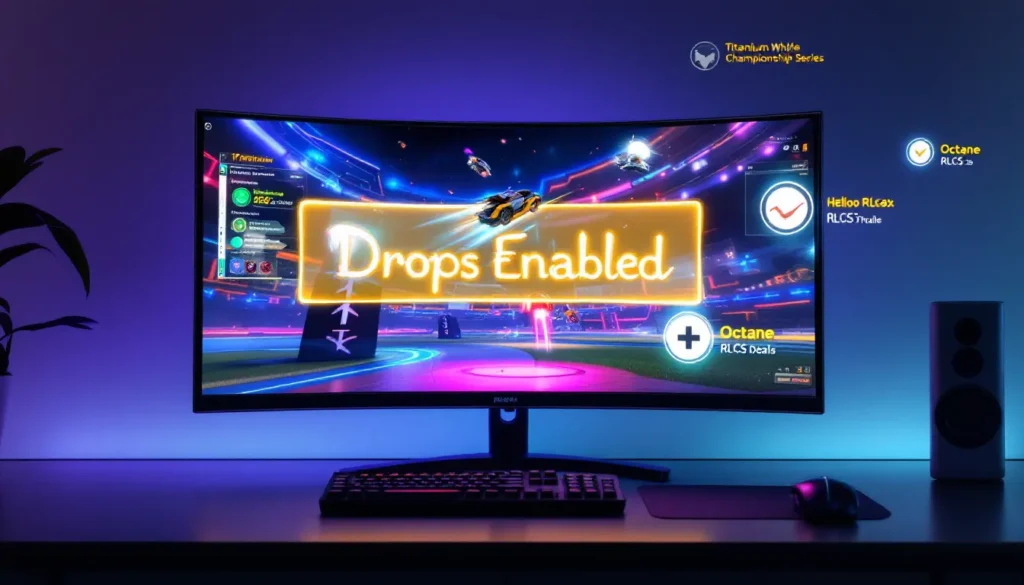
Watching your favorite RLCS pros pop off while earning free cosmetics? That’s the beauty of Rocket League Fan Rewards, a program that’s been quietly showering dedicated viewers with wheels, decals, and other premium items since 2017. Whether you’re grinding for that elusive Titanium White Apex or just want some fresh toppers, the Fan Rewards system turns passive viewing into tangible loot.
But here’s the catch: plenty of players link their accounts, tune in religiously, and still walk away empty-handed. Drop rates aren’t guaranteed, connections break, and Psyonix doesn’t exactly advertise the fine print. This guide breaks down everything you need to know about Fan Rewards in 2026, from the initial setup to maximizing your chances, spotting the most valuable items, and troubleshooting when drops mysteriously stop flowing.
Key Takeaways
- Rocket League Fan Rewards are free exclusive cosmetics earned by watching official RLCS broadcasts, with no Battle Pass or credits required—just link your Epic Games and Twitch accounts.
- Drops operate on RNG mechanics with an estimated one reward every 2–4 hours of active viewing, though Psyonix has never published official drop rates or timers.
- Verify your Twitch email, maintain a stable connection, and ensure your account shows a green checkmark on the Fan Rewards page to maximize your chances of receiving drops.
- Painted and certified variations, especially Titanium White Striker items like Apex wheels, can trade for 50,000+ credits—far exceeding unpainted versions.
- Most Fan Rewards remain tradable immediately, but newer items introduced in 2025–2026 may carry trade locks; check for lock icons in your inventory before attempting to trade.
- Watch only official RocketLeague Twitch streams or approved partner events with the ‘Drops Enabled’ tag—content from other platforms or non-official creators won’t qualify for Fan Rewards.
What Are Rocket League Fan Rewards?
Fan Rewards is Psyonix’s official incentive program for watching Rocket League esports broadcasts. Tune into eligible streams on Twitch, and you’ll have a chance to earn exclusive cosmetic items that can’t be obtained through regular gameplay, the Item Shop, or Blueprint crafting. These drops are completely free, no Battle Pass required, no credits needed.
The program launched alongside the RLCS (Rocket League Championship Series) back in 2017 and has evolved through multiple reward pools. Items range from banners and avatar borders to high-demand wheels and goal explosions. Some Fan Rewards have become legendary trading commodities, fetching thousands of credits on third-party markets.
How the Fan Rewards Program Works
The system operates on a time-based random drop mechanic. When you watch an eligible stream with your linked account, you’re automatically entered into a pool for potential drops. There’s no manual claiming required, rewards appear directly in your Rocket League inventory after the stream concludes or during your next login.
Drops are entirely RNG-based. You might get three items in one stream or zero across an entire tournament weekend. Psyonix has never published official drop rates, but community consensus estimates roughly one drop every 2-4 hours of active viewing. Keeping the stream running in the background counts, though there are caveats we’ll cover later.
Rewards arrive as in-game notifications. You’ll see a pop-up when you boot Rocket League, showing what you’ve earned. Some drops come painted or certified, significantly increasing their rarity and value. The reward pool rotates periodically, with Psyonix retiring certain items and introducing new ones each competitive season.
Types of Fan Rewards You Can Earn
The current 2026 reward pool includes several categories of cosmetics. Wheels remain the most coveted, with options like Aether, Apex, Decopunk, and the newer Rival and Helios variants. Painted versions, especially Titanium White, Black, and Crimson, command premium prices in trading communities.
Decals are stream-exclusive designs for popular cars. The Octane: RLCS and Dominus: RLCS X decals rotate through the pool, alongside newer additions like the Fennec: Yorebands. These come in painted variants and can carry certifications like Striker or Scorer.
Goal Explosions, Boosts, and Toppers round out the roster. Big Splash remains a fan-favorite goal explosion, while the Helios boost has maintained value since its introduction. Avatar borders, banners, and player anthems are also in the mix, less flashy but still exclusive to the Fan Rewards ecosystem.
Not everything in the pool is tradable. Recent seasons have introduced some account-bound rewards, particularly certain banners and titles. Always check the trade lock status before assuming you can flip an item.
How to Set Up Your Account for Fan Rewards
Setting up Fan Rewards takes about five minutes, but skipping a single step can leave you watching streams for nothing. The process requires linking your Epic Games account (which houses your Rocket League inventory) to your Twitch account. Here’s how to do it correctly.
Linking Your Epic Games Account to Twitch
Head to the official Fan Rewards connection page on the Rocket League website. You’ll need to log in with your Epic Games credentials first. If you’re on console and haven’t created an Epic account yet, you’ll need to do that through the Epic Games website, your platform account (PSN, Xbox Live, Nintendo) should already be linked if you’ve played post-2020.
Once logged into the rewards page, you’ll see a “Connect to Twitch” button. Clicking this redirects you to Twitch’s authorization page. Sign into your Twitch account and approve the connection. The page should refresh and display a green checkmark confirming the link.
If you play on multiple platforms (say, PC and PS5), don’t sweat it, rewards are tied to your Epic account, not individual platforms. As long as all your platform accounts are linked to the same Epic ID, drops will appear across all systems.
Verifying Your Connection and Eligibility
After linking, the rewards page should display your Twitch username and connection status. If it shows “Connected,” you’re good to go. But here’s a critical step many players miss: ensure your Twitch email is verified. Twitch won’t register you for drops if your email isn’t confirmed, and Psyonix won’t tell you this.
Check Twitch’s settings menu under “Security and Privacy” to confirm email verification. If there’s a pending verification link, handle that before watching any streams. You can test your setup by watching a short segment of any eligible broadcast, if the stream has drops enabled, you’ll see a “Drops Enabled” tag below the video player.
One more thing: make sure your Twitch account isn’t set to “Invisible” mode. Some users report drop issues when their online status is hidden, though this isn’t officially documented. It doesn’t hurt to set yourself to “Online” during RLCS weekends.
Finding RLCS and Eligible Streams to Watch
Not every Rocket League stream qualifies for Fan Rewards. The program is exclusive to official RLCS broadcasts and select partner events. Watching a random content creator play ranked won’t earn you drops, even if they’re streaming to 10,000 viewers.
Official RLCS Broadcast Schedule
The primary source for Fan Rewards is the official RocketLeague Twitch channel, where all major RLCS broadcasts air. The 2026 season follows a similar structure to recent years: Regional events lead into Majors, culminating in the World Championship each summer.
Regional tournaments typically run Thursday through Sunday, with broadcast times varying by region (North America, Europe, South America, APAC, MENA, and Sub-Saharan Africa). EU broadcasts often start around 9 AM ET, while NA events kick off in the afternoon. Major tournaments are multi-day affairs, usually spanning a full weekend with 6-8+ hours of coverage daily.
You can find the exact schedule on the official Rocket League Esports website or through trusted esports coverage platforms. They publish broadcast times in multiple time zones and update for any schedule changes. Following the official Rocket League Twitter/X account also helps, they announce go-live times and link directly to the stream.
Pro tip: RLCS broadcasts often include pre-shows and post-shows. These do count for Fan Rewards as long as the “Drops Enabled” tag is active. You can rack up extra viewing time while the desk crew breaks down matches.
Other Eligible Rocket League Esports Events
Beyond the mainline RLCS, several partner events also offer Fan Rewards. Gamers8, DreamHack, and other third-party tournaments sometimes activate drops when Psyonix is involved. These events are announced ahead of time, watch for official confirmation on the Rocket League Esports social channels.
Watch Parties hosted by approved streamers occasionally qualify too. During major events, certain high-profile content creators get permission to co-stream RLCS matches with drops enabled on their channels. This was more common in 2023-2024 but has become rarer in 2026. If you prefer a specific streamer’s commentary over the official broadcast, check if their watch party has the drops tag.
Community tournaments and smaller grassroots events never have Fan Rewards enabled, even if they’re incredibly competitive. Stick to official RLCS streams and explicitly announced partner events to guarantee eligibility.
Maximizing Your Drop Chances While Watching
You’ve linked your account and found the stream. Now, how do you actually increase your odds of walking away with loot? While drops are fundamentally RNG, there are strategies to optimize your viewing.
How Drop Rates and Timing Actually Work
Psyonix has never released official drop rate percentages, but community data-gathering suggests a baseline rate of approximately one drop per 2-4 hours of viewing. This isn’t a guarantee, it’s an average. Some players report getting back-to-back drops within minutes: others watch entire tournaments dry.
Drops are checked in intervals, not continuously. The exact interval is unknown, but most evidence points to 15-30 minute check-ins. If your account is flagged as “actively watching” during a check-in window, you’re entered into that round’s drop lottery. This means tabbing away or muting the stream doesn’t disqualify you, as long as the stream is running and your connection is stable.
One key detail: you don’t need to watch on high quality. Streaming at 160p with the tab muted in the background counts the same as watching full-screen at 1080p60. This lets you farm drops on secondary devices or while working, though Twitch does periodically verify you’re not botting.
There’s an unconfirmed theory that staying engaged, typing in chat, reacting to moments, might trigger higher priority in the drop queue. No concrete evidence supports this, but it’s become a superstition among hardcore farmers. At minimum, periodically refreshing the stream or checking notifications ensures your connection hasn’t silently dropped.
Best Practices for Active Viewing
Here’s the optimal setup for maximizing drops without babysitting a stream for eight hours straight:
Run the stream on a stable connection. Wi-Fi dropouts can interrupt your viewing session. If you’re farming on a laptop or mobile device, make sure it’s plugged in and won’t auto-sleep.
Use multiple accounts if you have them. There’s no rule against linking separate Epic accounts to different Twitch profiles. Some players run two or three accounts simultaneously, multiplying their chances. Just make sure each Epic/Twitch pairing is properly linked and verified.
Don’t rely on mobile apps exclusively. The Twitch mobile app should count for Fan Rewards, but community reports suggest the desktop site is more reliable. If you’re mobile-only, keep an eye on whether the “Drops Enabled” tag is visible in the app.
Check your inventory periodically. Drops can arrive mid-stream, but you won’t see them until you log into Rocket League. If you’re watching live, boot the game during breaks or halftime to claim your items and check if you’re still eligible.
Avoid third-party viewing platforms. Watching RLCS through YouTube, Discord embeds, or other non-Twitch platforms won’t register for drops, even if the content is identical. Stick to the official Twitch channel.
One final note: AFKing streams with the volume at zero is fine, but Twitch has anti-bot measures. If you’re running a stream 24/7 without any interaction for days, you risk getting flagged. Opening the stream, letting it run during events, and closing it afterward is safer and more efficient.
The Most Valuable and Rarest Fan Rewards
Not all Fan Rewards are created equal. While every drop is technically free, some items hold exponentially more value in trading communities. Knowing what to look for can turn a lucky stream session into serious credits.
Painted and Certified Variations
Every Fan Reward has a chance to drop with a paint finish or certification. Painted items come in 13 colors, ranging from common (Burnt Sienna, Orange) to highly coveted (Titanium White, Black, Crimson). Certifications track specific stats, Striker (shots on goal), Tactician (centers), Scorer (goals), and add prestige without affecting gameplay.
The combination of paint and cert can skyrocket an item’s value. A standard Apex wheel might trade for 300-500 credits. A Titanium White Striker Apex can fetch upwards of 50,000-100,000 credits, depending on market trends. That’s real-world money territory for traders willing to convert credits.
Certain paints are rarer than others due to drop weighting. Psyonix has never confirmed the exact odds, but Titanium White and Black consistently appear less frequently than Burnt Sienna or Orange. Crimson, Sky Blue, and Forest Green sit in the mid-tier rarity bracket. If you pull TW or Black on a popular item, wheels, especially, you’ve hit the jackpot.
Certifications don’t have confirmed drop rates either, but Striker and Tactician are widely considered the rarest and most desirable. Scorer, Sweeper, and Goalkeeper hold moderate value. Turtle, Acrobat, and Show-Off are common and barely increase an item’s price. Pro players and collectors obsess over Striker certs, driving up demand for those specific rolls.
Titanium White and High-Tier Items
If you’re chasing maximum value, focus on these items when they’re in rotation:
Apex wheels (TW): The undisputed king of Fan Rewards. TW Apex have held elite status since 2017, regularly trading for 50k+ credits. Even unpainted Apex sit comfortably around 500-800 credits.
Helios boost (TW, Black): Another legacy item with sustained demand. TW Helios can hit 10k-20k credits depending on the market. Black variants are nearly as valuable.
Decopunk wheels (TW, Black): Introduced in 2020, Decopunks became instant hits. TW versions trade for 3k-6k credits, while Black sits slightly lower.
Octane: RLCS decals (TW, Black): Since the Octane dominates the player base, these decals command premium prices. TW Octane: RLCS regularly exceeds 5k credits.
Big Splash goal explosion: A rare drop with no paint variants, but its exclusivity keeps it valuable. Typically trades for 1k-2k credits.
Many players farm Fan Rewards specifically to trade up for credits or desired items. If you pull something high-value but don’t personally use it, consider cashing out while demand is strong. Prices fluctuate based on reward pool rotations, when Psyonix retires an item, its value often spikes as supply dries up. Checking pro player loadouts and settings can give you insight into which cosmetics are trending among competitive players, often signaling rising market value.
Trading Fan Rewards: What You Need to Know
Fan Rewards are some of the most liquid items in Rocket League’s trading economy. But before you list that painted Helios boost, there are rules and market dynamics to understand.
Which Rewards Are Tradable vs. Non-Tradable
Most Fan Rewards are fully tradable immediately upon receipt. Wheels, decals, boosts, and goal explosions from older reward pools (pre-2024) have no trade restrictions. You can list them on trading platforms, swap them with friends, or sell them for credits the moment they hit your inventory.
But, some newer items introduced in 2025-2026 are account-bound. Psyonix began experimenting with non-tradable Fan Rewards to reduce black-market trading and bot farms. Certain banners, titles, and avatar borders now carry a trade lock. The rewards page usually indicates this, but it’s not always clear until the item drops.
Player anthems and certain region-specific items are also non-tradable. If an item has a small lock icon in your inventory, it’s stuck with you permanently. This has frustrated traders but hasn’t significantly impacted the market, since the highest-value cosmetics (wheels, decals, boosts) remain tradable.
One workaround: if you have duplicate tradable items across multiple accounts, you can consolidate them onto your main account through trading with a trusted middleman or friend. Just be cautious, account sharing or selling violates Epic’s ToS and can result in bans.
Current Market Values and Trading Tips
Fan Reward values shift constantly based on supply, demand, and reward pool rotations. Here’s how to navigate the market in 2026:
Use established trading platforms. Reddit’s r/RocketLeagueExchange, RL Garage, and RL Trading Post are the go-to hubs. Prices are community-driven, so expect some negotiation. Avoid in-game trades with random players, scams are rampant.
Check recent sales, not asking prices. Sellers inflate listings. Look for completed trades or use price-checking bots on Discord to gauge fair value. A TW Apex might be listed at 70k, but recent sales could be closer to 55k.
Sell quickly after retirement. When Psyonix announces an item is leaving the reward pool, prices often spike for a few weeks before stabilizing. If you’ve been holding a painted Rival wheel and it’s getting retired, that’s your window to maximize profit.
Painted items sell faster than certs. Unless it’s a top-tier cert like Striker or Tactician, certifications barely move the needle for most buyers. A painted item without cert will sell faster than a certified unpainted one.
Be patient with high-value trades. Selling a TW Apex for 50k+ credits means finding a buyer with that amount liquid. It might take days or weeks. Consider accepting item offers (other high-value cosmetics) to speed things up.
Watch for scams. Common tricks include fake middlemen, credit duplication lies, and “my friend will pay you” schemes. Only trade through secure platforms, and never click suspicious links claiming to verify your account.
If you’re farming drops purely for profit, treat it like a side hustle. Track your hours watched, items received, and credits earned to calculate your “hourly rate.” Some dedicated farmers pull in 5k-10k credits per month during active RLCS seasons, not life-changing, but enough to fund your car designs without spending real money.
Troubleshooting Common Fan Rewards Issues
You’ve done everything right, linked your account, watched the stream, saw the “Drops Enabled” tag, but still no rewards. Here’s how to diagnose and fix the most common problems.
Why You’re Not Receiving Drops
Unverified Twitch email: This is the #1 silent killer of drops. Twitch requires a verified email for drop eligibility across all games, not just Rocket League. Check your inbox for a confirmation link from Twitch, or resend it from your account settings.
Connection expired or broken: Links between Epic and Twitch can break due to password changes, account updates, or platform issues. Visit the Fan Rewards page and confirm the green checkmark is still there. If it shows “Not Connected,” re-link your accounts.
Wrong Twitch account linked: If you have multiple Twitch accounts (say, a personal and a streaming alt), double-check which one is linked to your Epic ID. Watching on the wrong account won’t trigger drops for your main Rocket League inventory.
Watching an ineligible stream: Not every Rocket League broadcast qualifies. Confirm the stream has the “Drops Enabled” tag below the player. If it’s missing, you’re wasting your time.
RNG drought: Sometimes you’re just unlucky. Community members report going 6-8 hours with zero drops, then getting two within 30 minutes. If you’ve verified everything else, keep watching and be patient.
Twitch status set to Invisible: While not officially documented, some users report improved drop rates after switching from Invisible to Online mode. It’s worth toggling if you’ve been stuck in a dry spell.
Account Connection and Notification Problems
If drops are happening but you’re not seeing them, the issue might be on the Rocket League side.
Drops arrive delayed: Items don’t always appear instantly. Some players report delays of several hours or even until the next day. Log out of Rocket League completely, restart the game, and check your inventory under the “Fan Rewards” filter.
Notifications turned off: In-game notifications can be disabled in settings. Go to Options > Interface > Notifications and ensure Fan Rewards notifications are enabled.
Platform-specific inventory issues: If you play on Switch or Xbox and your Epic account was recently linked, there’s a rare bug where drops don’t sync properly. Logging into the PC version (via Epic Games Launcher) and checking inventory there often resolves this.
Twitch notifications aren’t reliable: Twitch should send you a Whisper notification when you earn a drop, but this system is inconsistent. Don’t rely on it, check your Rocket League inventory directly.
If all else fails, contact Psyonix support through the official website. They can verify if your account is properly flagged for drops and manually investigate if there’s a technical issue. Response times vary, but they’re generally helpful if you provide your Epic ID, Twitch username, and specific stream details. Following esports news outlets can also alert you to widespread issues if Psyonix acknowledges server-side drop problems during major events.
What’s Changed in 2026: New Rewards and Updates
The Fan Rewards program has evolved significantly since its 2017 debut, and 2026 brought several notable changes. Here’s what’s new and what’s been adjusted.
New reward items for Season 14 and 15: Psyonix introduced the Rival Radiant wheels and Stratosphere boost as fresh additions to the reward pool in early 2026. Both have received positive community feedback for their clean designs and vibrant paint options. The Rival Radiant wheels, in particular, have become trading favorites, with TW versions already commanding 4k-6k credits.
Retired legacy items: As of March 2026, Emerald wheels and Fusion boost have been removed from the active drop pool. This typically increases their trading value over time as supply dwindles. If you’ve been holding onto painted Emeralds, now’s a good time to consider selling.
Account-bound rewards expansion: More items are arriving with trade locks in 2026. New banners, anthems, and a few toppers are account-bound, though all wheels, decals, and boosts remain tradable. Psyonix stated this helps reduce bot farms exploiting the free rewards system.
Improved drop transparency (sort of): Psyonix added an in-game “Fan Rewards” section under Extras > Fan Rewards in the main menu. This displays your connection status, recent drops, and links directly to the rewards page. It’s a small quality-of-life improvement but doesn’t reveal actual drop rates or timers.
No major drop rate changes: Even though community requests for clearer odds or increased drop frequency, Psyonix hasn’t adjusted the underlying RNG system. The estimated 2-4 hour average per drop remains consistent with previous seasons.
Cross-platform inventory fully integrated: If you play on multiple platforms, all Fan Rewards now sync instantly across PC, PlayStation, Xbox, and Switch. This was finalized in late 2025 and has eliminated most platform-specific inventory bugs.
RLCS broadcast schedule expansion: The 2026 season includes more regional coverage for APAC and MENA, meaning additional streams with drops enabled. More broadcasts equal more farming opportunities, especially if you’re in a time zone that previously missed prime viewing windows.
Looking ahead, rumors suggest Psyonix may introduce tiered drop chances based on account age or viewing milestones, similar to systems in other esports titles. Nothing confirmed yet, but it’s worth keeping an eye on official announcements as the year progresses.
Conclusion
Fan Rewards remain one of Rocket League’s best value propositions: watch top-tier esports, support the competitive scene, and walk away with exclusive cosmetics, all for free. The system isn’t perfect, and RNG droughts can test your patience, but with proper setup and consistent viewing, most players accumulate a solid collection over a season.
Whether you’re chasing a TW Apex for your dream preset, farming drops to trade for credits, or just casually collecting freebies while watching RLCS, the program rewards engagement. Keep your accounts linked, verify your connections periodically, and don’t stress if a few streams pass without drops. Stick with it through a Major or two, and the loot will come.
Now queue up the next RLCS broadcast and let those drops roll in. Your inventory will thank you.
About The Author